
Configuration File Description
The Yes Steve Model mod also provides a number of configuration files to facilitate players in making adjustments or for server administrators to maintain the server.
Client Configuration
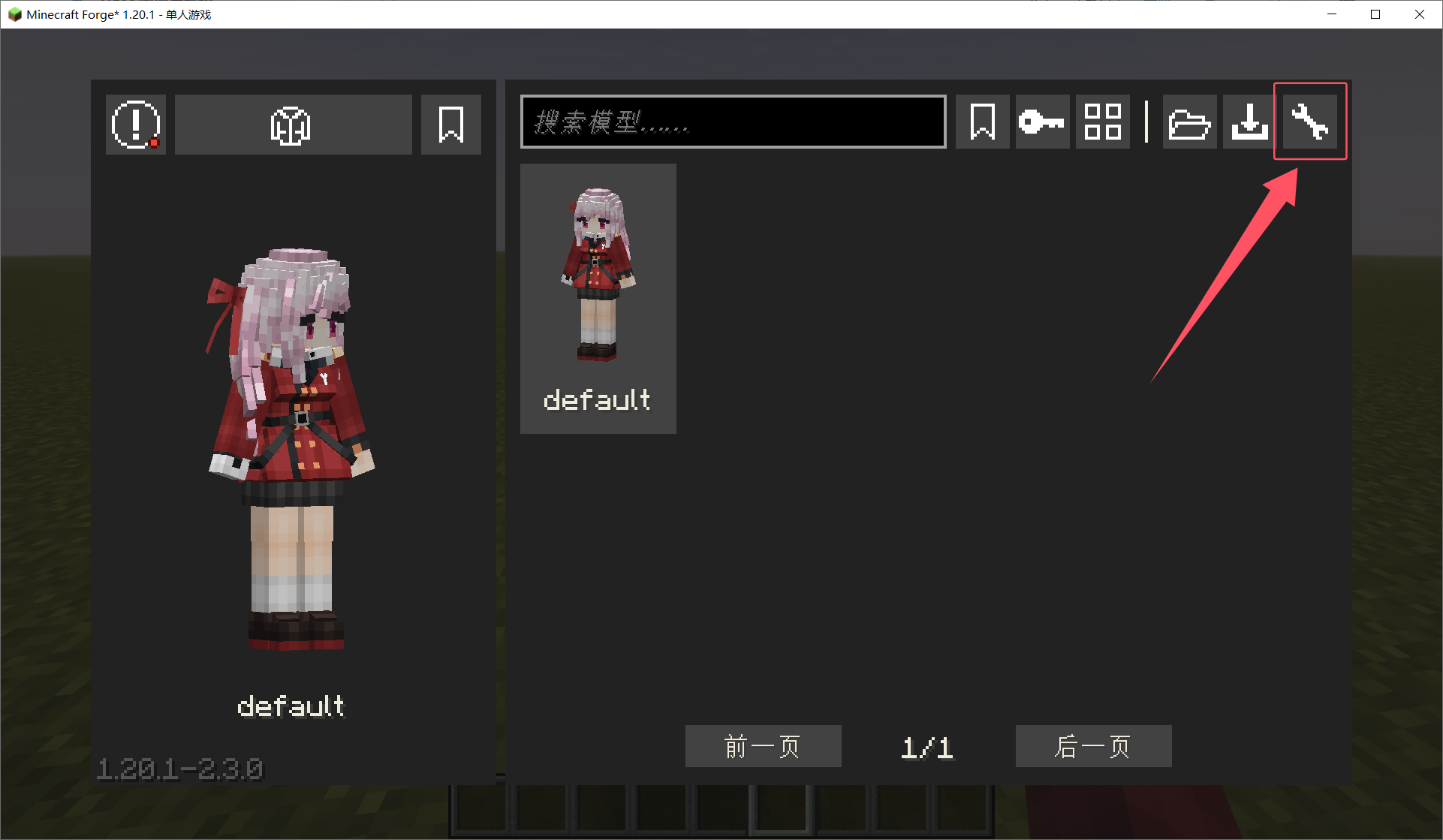
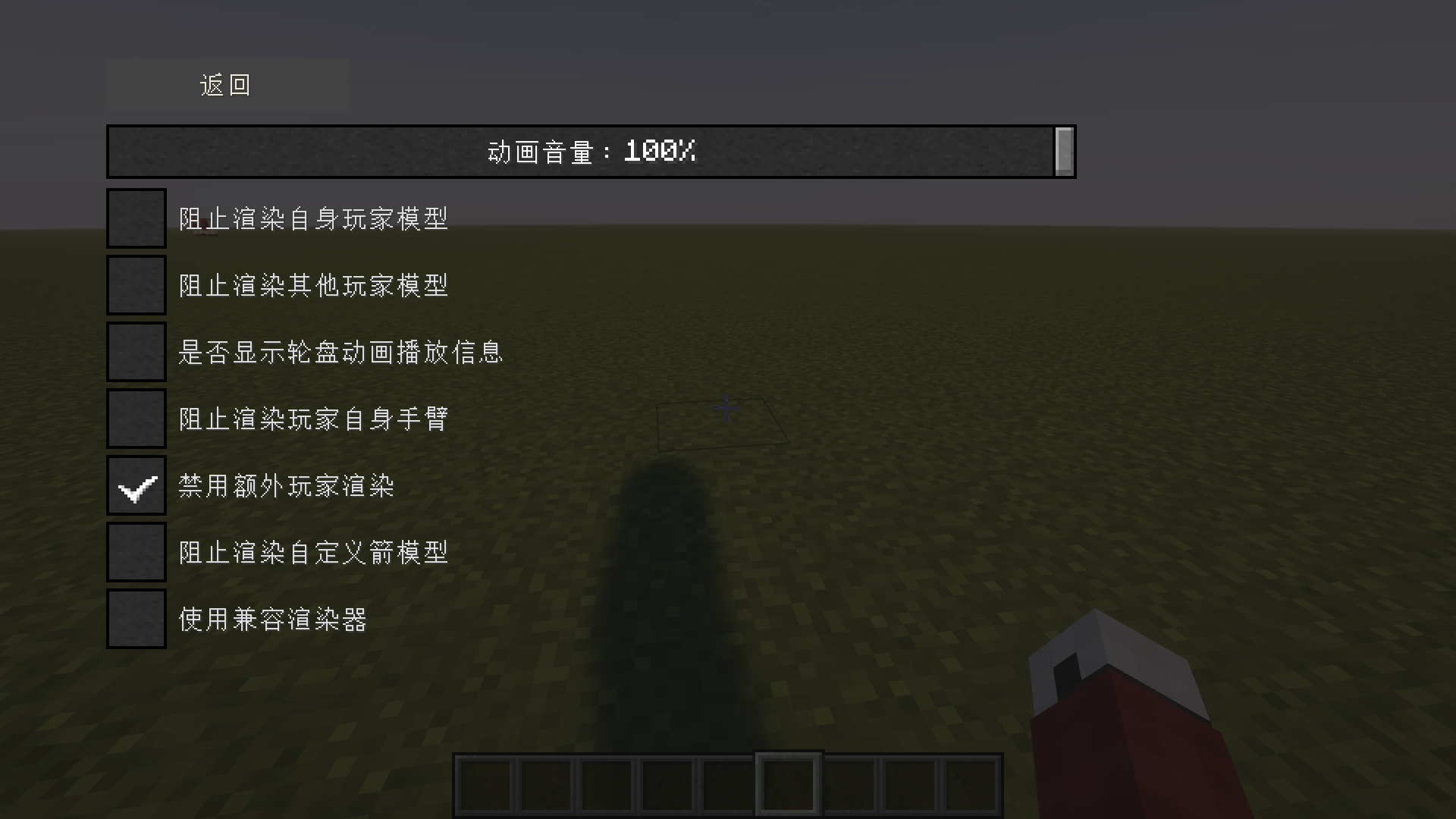
An in-game configuration interface can be opened in the upper right corner of the model switching interface, where various client configuration options can be adjusted.
If you want to adjust the extra model rendered in the upper left corner, simply press the Alt P key combination (if it doesn't work, please check the key bindings).
Server Configuration
The Yes Steve Model mod has two configuration files. One is located at config/yes_steve_model-common.toml, and the other is at Save Directory/serverconfig/yes_steve_model-server.toml (this configuration is available after version 2.3.0).
Client Configuration
This is the configuration at config/yes_steve_model-client.toml. The content of this file is different before 2.2.2 and after 2.3.0.
[general]
	#Whether to display disclaimer GUI
	DisclaimerShow = false
	#Whether to print animation roulette play message
	PrintAnimationRouletteMsg = false
	#Prevents rendering of self player's model
	DisableSelfModel = false
	#Prevents rendering of other player's model
	DisableOtherModel = false
	#Prevents rendering of self player's hand
	DisableSelfHands = false
	#If rendering errors occur, try turning on this.
	UseCompatibilityRenderer = false
	#The amount of volume when the animation is played.
	#Range: 0.0 ~ 100.0
	SoundVolume = 100.0
	#Prevents rendering of projectile model
	DisableProjectileModel = false
	#Prevents rendering of vehicle model
	DisableVehicleModel = false
	#Whether to display model ID first in the model selection screen, instead of the model name filled in by the model author.
	ShowModelIdFirst = false

[extra_player_render]
	#Whether to display player
	DisablePlayerRender = false
	#Player position x in screen
	#Range: > 0
	PlayerPosX = 10
	#Player position y in screen
	#Range: > 0
	PlayerPosY = 10
	#Player scale in screen
	#Range: 8.0 ~ 360.0
	PlayerScale = 40.0
	#Player yaw offset in screen
	#Range: 4.9E-324 ~ 1.7976931348623157E308
	PlayerYawOffset = 5.0

[loading_state_screen]
	#Whether to disable loading state screen
	DisableLoadingStateScreen = false
	#Loading state screen position
	#Allowed Values: TOP_LEFT, TOP_CENTER, TOP_RIGHT, BOTTOM_LEFT, BOTTOM_CENTER, BOTTOM_RIGHT
	LoadingStatePosition = "TOP_CENTER"
Server Configuration (No Restart Required, Automatic Hot-reload)
This is the configuration at Save Directory/serverconfig/yes_steve_model-server.toml. This file is only available in 2.3.0. Before 2.2.2, this configuration was in config/yes_steve_model-common.toml.
#The default model ID when a player first enters the game
DefaultModelId = "default"
#The default model texture when a player first enters the game
DefaultModelTexture = "default"
#Whether or not players are allowed to switch models
CanSwitchModel = true
#Models that are not displayed on the client model selection screen
#Example: ["default", "misc_3_default_boy", "misc_1_alex", "misc_2_steve", "wine_fox_1_taisho_maid", "wine_fox_7_jk"]
ClientNotDisplayModels = []

[server_scheduler]
	#Concurrent level for processing models. Value 0 means AUTO.
	#Range: 0 ~ Your CPU core count
	ThreadCount = 0
	#Bandwidth limitation during distributing models to players.(In Mbps)
	#Range: 1 ~ 999
	BandwidthLimit = 5
	#Timeout for players to respond to synchronization. Value not greater than 10 means AUTO.(In seconds)
	#Range: 0 ~ 120
	PlayerSyncTimeout = 0
	#Suppress network synchronization of partial features to reduce bandwidth usage
	#Only effective when there are tons of players
	LowBandwidthUsage = false
	#Skip sound effect processing to reduce server bandwidth and client memory usage
	#0: Accept all sounds (Default)
	#1: Accept short sounds only (Shorter than 4s and smaller than 40KB)
	#2: Reject all sounds (Not recommended)
	#Note: Takes effect after model reloading. Increasing this option does not cause model resynchronization, whereas decreasing it does.
	#Range: 0 ~ 2
	AcceptSoundFX = 0